What is the Varispeed Effect?
The varispeed effect is a popular video editing technique commonly used in meme videos, fail compilations, and dramatic sports highlights. This effect creates a synchronized change in both video speed and audio pitch. When you slow down the footage, the audio becomes deeper and more dramatic. When you speed it up, the audio becomes higher-pitched and comedic, similar to how old tape recorders or vinyl players sound when played at different speeds.
Unlike standard slow motion (which keeps the audio pitch normal), varispeed maintains the connection between video speed and audio pitch, creating that signature dramatic or humorous effect you've seen in countless viral videos. This technique was originally achieved using analog equipment but can now be easily created digitally with modern editing tools.
How to Create Slow Motion with Pitch Drop (Varispeed) Effect Online
Using our Online Video Trimmer, you can easily add the varispeed effect to your videos completely free and without downloading any software. This browser-based tool works on any device (desktop, laptop, tablet, or mobile) and processes your videos quickly and securely. Here's a step by step guide on how to create dramatic slow-motion effect with pitch shift:
- First, click here (opens in a new tab) to go to the Online Video Trimmer tool.
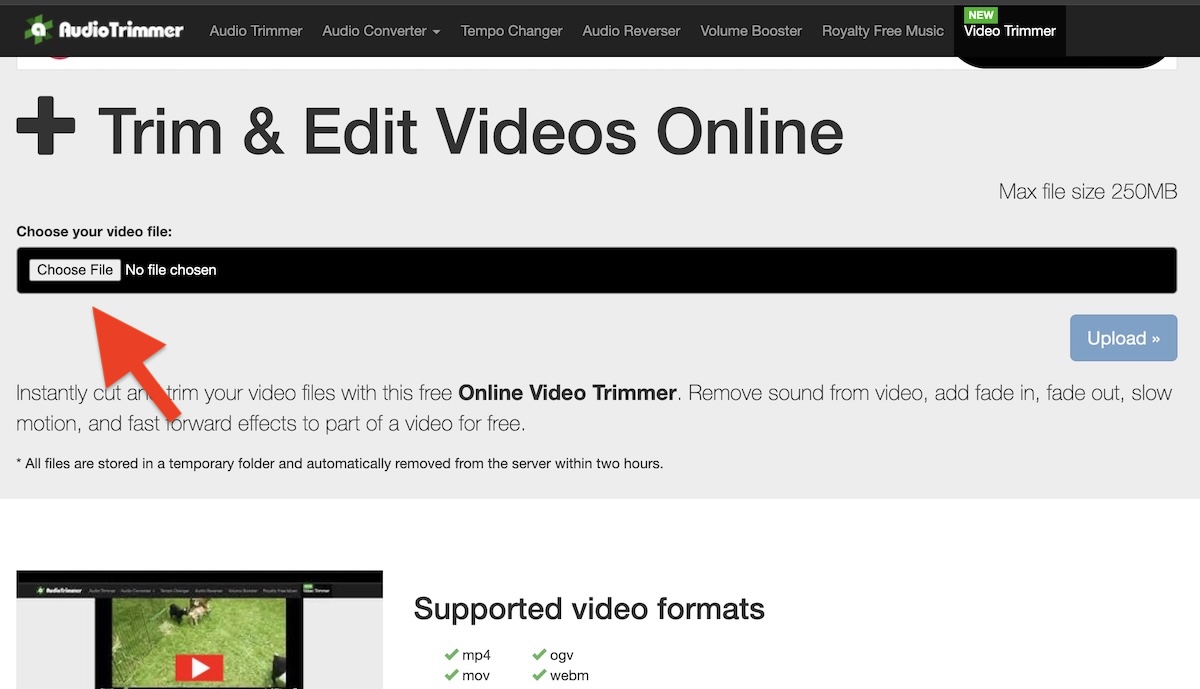
- Click the "Choose File" button to select a video file from your device. The video editor will load your video immediately and allow you to start editing while it uploads to our servers in the background. Don't worry about privacy. Your files are stored in secure temporary folders that are automatically deleted within two hours.
- On the next screen, you'll see the Mode switch located directly under the video timeline. This switch allows you to select different editing operations for the Video Trimmer. Switch to the "Change Speed" mode so we can apply the varispeed effect to your selected video segment.
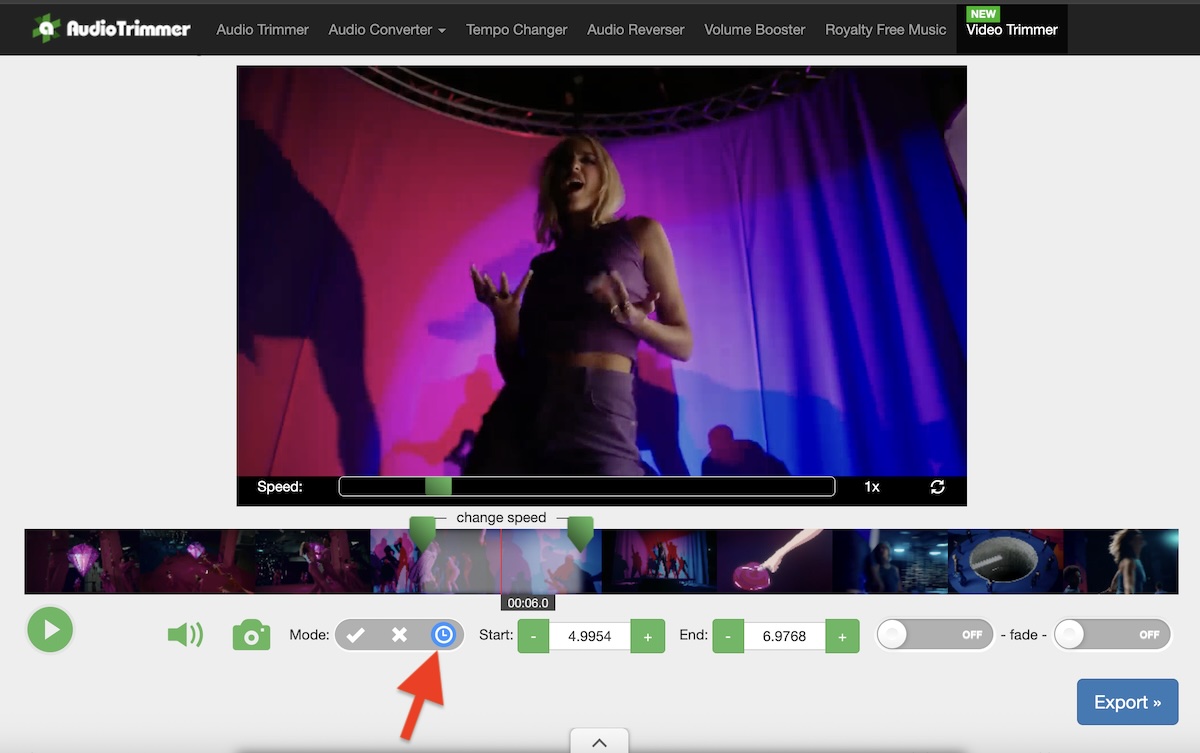
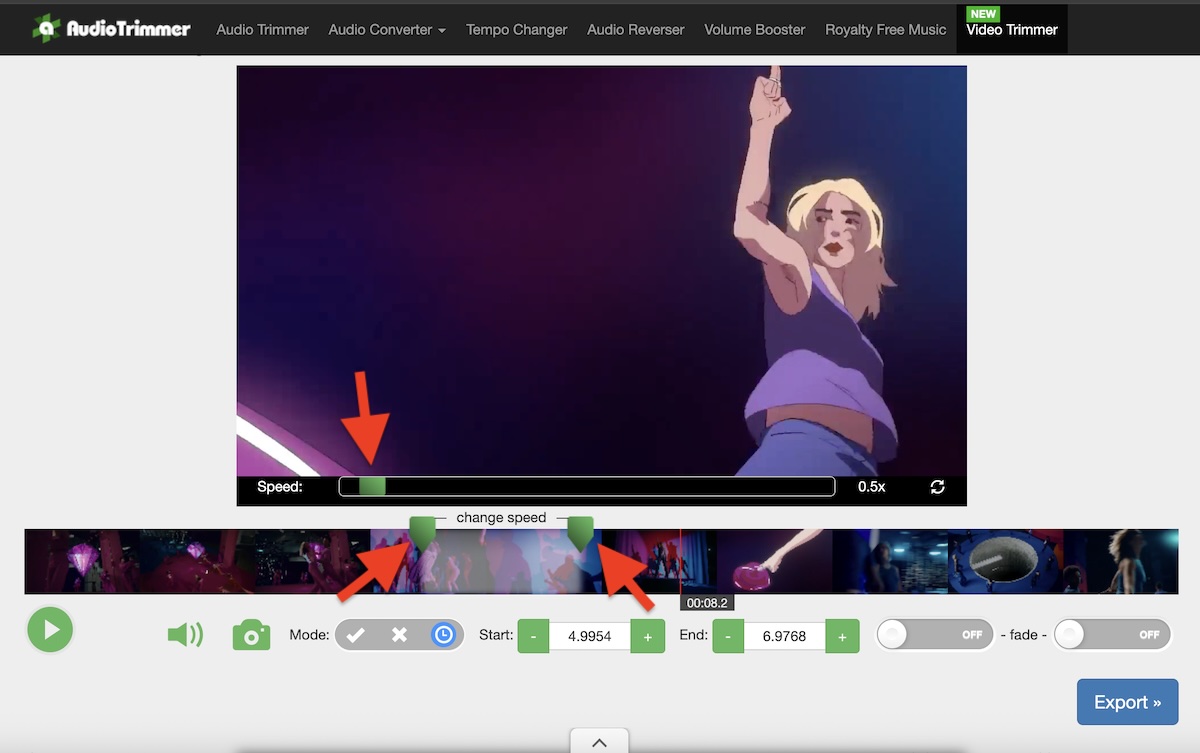
- Now you can move the sliders on the video timeline to mark the exact starting and ending points where you want to apply the varispeed effect to your video. Then, use the speed slider at the bottom of the video player to slow down the video to your desired speed. For most dramatic effects, a speed of 0.5x (half speed) works perfectly, creating that iconic slow-motion effect with the deep audio pitch.
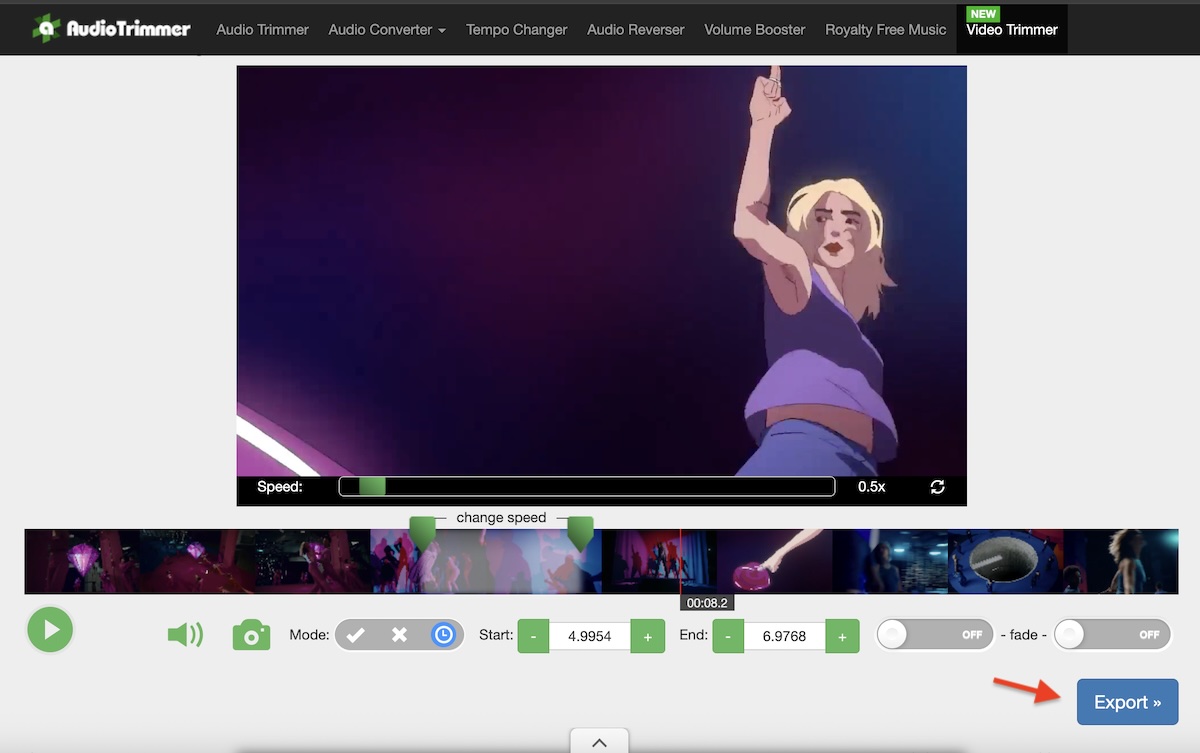
- Once you're satisfied with the varispeed effect, simply press the "Export" button to download your edited video file with the applied effect. The tool will process your video and prepare it for download in just a few moments. After downloading your file, you can press the "Back" button to return to the editor if you want to make additional adjustments or create different versions with varying effects.
Tips for Creating the Best Varispeed Effects
To get the most out of the varispeed effect and create truly engaging videos, here are some professional tips:
Choose the right moment: The varispeed effect works best when applied to key moments in your video—like epic fails, surprising reactions, dramatic sports plays, or comedic punchlines. Don't overuse the effect throughout your entire video, as this can reduce its impact.
Experiment with different speeds: While 0.5x speed is the most popular choice, don't be afraid to try other speeds. Ultra-slow speeds like 0.25x work great for extremely dramatic moments, while 0.75x creates a more subtle effect that's perfect for emphasizing important details without being too obvious.
Consider the context: Fast-paced action scenes and sudden events work particularly well with varispeed effects. The contrast between normal speed and slow motion makes the effect more noticeable and impactful.
Preview before exporting: Always preview your edited video to ensure the timing and speed are exactly what you want. Fine-tuning the start and end points of the effect can make a huge difference in the final result.